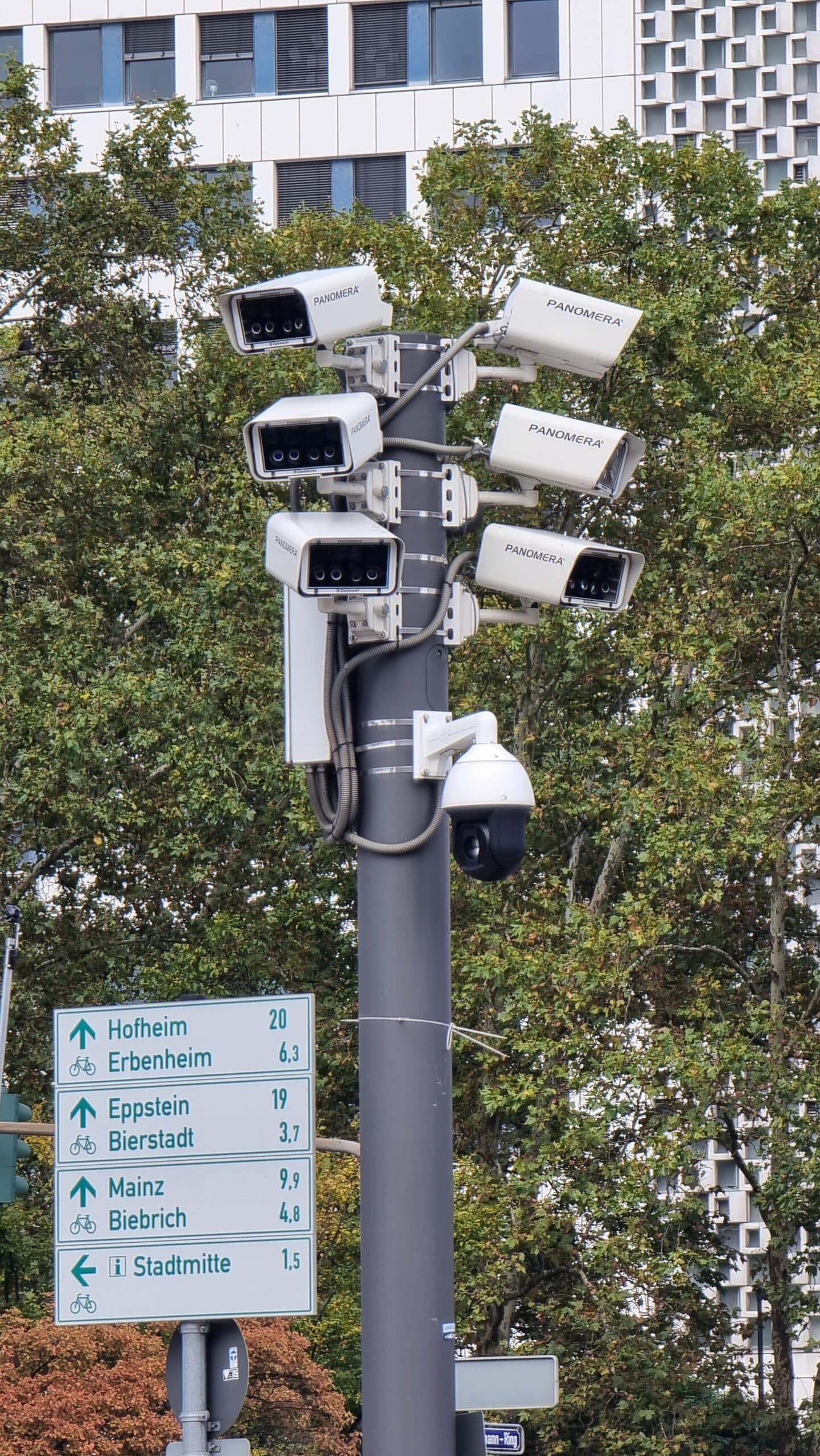
There is a specific, predictable way that home and small business CCTV gets broken into, and it is not subtle. A camera or recorder is installed, a stream is set up, and two things are left as they came out of the box: the admin password, and the decision about whether this device should be reachable from the internet. Six months later the footage of your shop, your gate and your children is watched by someone who guessed six digits. Most of CCTV security is decided in the first hour of installation and never revisited.
The technology is not the weak point. Network video recorders are ordinary computers with a disk in them running ordinary software, configured by ordinary installers who were never asked to harden anything. The rest of this is what to change, in the order that changes the risk most.
Where cctv security actually fails
Four failures account for nearly everything, and none requires an attacker to be clever.
The first is an unchanged default password, the commonest by a wide margin. The reason is not carelessness so much as that the cameras work perfectly well with the password they shipped with, so there is no obvious failure and no prompt to change it. US cybersecurity guidance on the internet of things states the problem directly: some internet-enabled devices are configured with default passwords to simplify setup, those passwords are easily found online, and therefore they do not provide any protection. A recorder is a networked device holding a month of footage from inside your compound, which is not a low-value target for cctv security.
The second is port forwarding. Someone wants to watch the feed from outside, so a rule is added on the router pointing an internet port at the recorder. From that moment it is a public web server with a six-digit password, and automated scanners walk the address space looking for exactly this.
The third is the account nobody deleted. The installer created one, the owner created another because the first password was on a scrap of paper, a relative created a third for the gate camera, and none were removed.
The fourth is the mobile app. An app that streams your cameras is a permanent, highly privileged client on a device updated by strangers and sometimes backed up to a cloud account. It is the part most owners have never configured for security.
Default credentials on recorders and cameras
Change them in the recorder itself, not only in the app. Most systems have two authentication surfaces: the recorder’s web interface, and a per-camera account used for streaming. Default passwords are the same failure across every connected device, and they survive because nobody measures anything until it breaks.
Three practical points. Write the new credentials somewhere other than the back of the recorder, and not in the same notebook as the Wi-Fi password. Use a different one for the recorder admin account than for the Wi-Fi network, because a compromised recorder is often one step from the rest of the network. Then count the accounts and delete the ones nobody uses. CISA’s home network guidance makes the same point about privileges: give each user only what they need and remove access that is no longer required.
Why port forwarding a recorder to the internet is the worst decision
Say this without hedging. A remote view is nice, and exposing a recorder to the internet to get one is a bad trade. The alternatives are now good enough that there is no reasonable reason left to do it.
The reason is arithmetic. The address space is finite and automated scanners sweep it continuously. If your recorder answers on a forwarded port, it will be found, and what happens next depends on the password and whether any second layer exists, which for a default-configured recorder is usually nothing. CISA’s home network security guidance notes that plug and play exists to let devices open ports on your own router, and that malware has used it to bypass the router’s firewall and take control of devices. Many recorders also advertise remote access through the same mechanism, sometimes enabled by the installer without being asked.
What to do instead. Put the cameras on their own network so they reach the internet and nothing else, then view them through an app that connects out to the vendor rather than one needing an inbound connection. If you need a live view from outside, use a solution that keeps the connection outbound and offers second-factor login. If the recorder must be reachable, it needs a changed admin password, no other accounts, current firmware and log review, in that order.
Hardening the recorder itself
Twenty minutes with a laptop and the manual. The order below is the order worth doing them in, because every entry is a security setting rather than a picture setting.
| Setting | Change it to | Why it matters for cctv security |
|---|---|---|
| Administrator password | Long, unique, stored in a password manager | Removes the most common route in, which is the point of cctv security |
| All other user accounts | One per real person, least privilege, unused ones deleted | Stops a shared login surviving a change of staff, which is how most breaches start |
| Port forwarding rules on the router | Removed, unless there is a documented reason | Stops the recorder being found by a scanner |
| Universal plug and play on the router | Disabled | Stops any device opening a port, so router security is not silently undone |
| Firmware | Updated, and updates checked quarterly | Fixes real flaws in the code that the security of the system depends on |
| Microphone and audio recording | Disabled unless you are certain you need it | Audio is the part people forget and neighbours notice first |
While you are there, check the storage. A recorder with a full disk stops recording, so the footage you rely on in a dispute is often the footage that was never captured.
Network isolation: cameras on their own network
The single most valuable change for a household that also runs solar monitoring is to stop putting the cameras on the same network as everything else. CISA’s home network guidance recommends a guest or IoT network, and specifically suggests putting smart home and other IoT devices there where internet access is all they need, so they cannot discover other devices on the network or reach the router’s settings. Our router security guide covers the rest, including using WPA3 or WPA2 AES and changing the default network name.
For a small business the version that pays is segmentation: cameras and recorders on one side, point-of-sale, card terminals and staff laptops on the other. Network segmentation is unglamorous and effective because a problem with a camera is then not a problem with the till.
Retention, audio and who can actually watch
Two questions get skipped and both matter. The first is how long you keep footage. Longer is not automatically better: it multiplies the data about your household, its staff and anyone who passed the gate, and it sits on a device that may itself be poorly secured. Keeping a week when no month-long requirement exists is a reasonable home default, and shortening retention is a straightforward privacy win.
The second is audio. A microphone in a gate camera records conversations, which is a different proposition from recording a car park, and in many systems the microphone is enabled by default. Turning it off is free, and if you do need it, telling the people who work there is not optional in spirit. What a monitoring system reveals about you makes the same argument for electrical data: a device that watches continuously needs a reason for each thing it records.
Finally, look at who can view. Not who can log in, but who can see a live view: the owner, the staff, the installer who still has an account, the person given a shared login on a phone. Export a clip and it can live on a phone forever. solar monitoring security covers the same habit elsewhere in the building, and the habit transfers directly.
A hardening checklist you can run in one evening
Five items, in order, that close almost all of it. Change the administrator password and delete unused accounts. Remove the port forwarding rules from the router and disable plug and play. Put the cameras and recorder on the guest or IoT network. Update the firmware on the cameras, the recorder and the app. Then repeat the first and fourth every quarter, because new accounts appear and new firmware arrives whether anyone is looking or not.
Frequently asked questions
How do I find out if my CCTV has been hacked?
Check the account list first, then the login log if there is one, then the recording library for gaps. A gap in the record, a camera repositioned without you, or footage from a time you were not there are the practical signals. Check the router’s device list for anything unrecognised, and change the passwords before anything else.
Do I need a separate network for my cameras?
Not to make them work. To limit what happens when something goes wrong. If your router offers a guest or IoT network, it is a ten-minute change and the difference between a compromised camera and a compromised household. If not, a small second router costs less than most people expect.
Is it safe to view my cameras on my phone?
It is a reasonable thing to want and it puts a privileged app on your phone. Use second-factor login where offered, keep the app updated, and if it insists on exposing the recorder to the internet, treat that as a decision to reconsider rather than a price of admission.
Key Takeaways
- Default passwords on recorders are published, and an unchanged one is no protection at all on a device holding your footage.
- Port forwarding a recorder to the internet makes it discoverable by automated scanning, and the modern alternatives are better.
- Delete unused accounts, give each real person their own, and grant the least access each needs.
- Put cameras and recorders on the guest or IoT network so a camera problem is not a household problem.
- Decide how long you keep footage and whether audio is on, and both need a reason rather than a default.
- Repeat the password and firmware check quarterly, because new accounts and new firmware appear on their own.
If the cameras and the solar equipment share a network, physical security for inverters, batteries and distribution boards is worth reading alongside this one.
Sources: CISA, Home Network Security; CISA, Module 5: Securing Your Home Wi-Fi; CISA, Securing the Internet of Things; Network video recorder, how recording devices work; Network segmentation, isolating devices from one another.


0 Comments